Set a video as your Desktop Background
by Get Trickz in: Windows TricksIncrease the Internet Speed 2min
by Get Trickz in: Net tips Hello Friends !! Today I tell You How Increase the Internet Speed In Simple Way So Read Full Step by step try this.The following post will tell you some methods to increase your internet speed.
3 Blogger Widgets on this christmas for your blog
by Get Trickz in: Blogger Widgets
to feel this X'mas joy.
Basic PC Shortcut Keys
by Get Trickz in: Windows TricksBasic Shortcut Keys
The followings are some basic PC shortcut keys that are supported in most IBM compatible computers. They are also supported in most application software.Use at your own risk.
Get Facebook Timeline in 5 sec
by Get Trickz in: Facebook Timeline Facebook Tips Facebook TricksHey Fiends How Are You ? I Think All You Fine.
So To Day I Tell About Facebook Timeline.Yes I tell
About It Timeline Before So Today I Tell You How
About It Timeline Before So Today I Tell You How
You Get This In All most Five Second Ya Linsatning
Right Its Will Take only 5sec So Lets Start
Microsoft Windows Shortcut Keys
by Get Trickz in: Windows TricksMicrosoft Windows Shortcut Keys
This is a listing of some common shortcut keys in different versions Microsoft Windows.
Some shortcut keys below are not supported in all versions of Windows.
The shortcut keys on this page are only applicable for Windows in general, if you are looking for shortcut keys for a specific application (i.e. Excel, Word, etc..) please see the links at the bottom of this page.
Make Simple JavaScript countdown/Count-up timer/clock/ticker
by Get Trickz in: Funny Java Tricks Java TricksHey To Day I Tell You A free and simple JavaScript countdown/Count-up timer/clock/ticker to/from the target date and time of your choice. Just copy and paste to your Web pages. You can also customize the display format, foreground and background colors of the countdown timer.
You can omit most parameters. Default values will be used in that case. CountActive is used to enable to disable counting. If you only want to show a fixed static time-remaining message, set it to false. It'll save on browser resources.
You can omit most parameters. Default values will be used in that case. CountActive is used to enable to disable counting. If you only want to show a fixed static time-remaining message, set it to false. It'll save on browser resources.
Add Floating Social Media Sharing sidebar Buttons : Facebook, twitter, StumbleUpon, Digg, buzz
by Get Trickz in: Blogger Tricks Blogger Widgets 2 Comments
Social Bookmarking buttons are buttons that can increase your blog traffic by the people who visits your blog and click the Social Bookmarking buttons they will share your blog post in the social networking like in facebook, twitter, stumbleupon, digg, and in google buzz with the help of this button they can easily spread your blog post and more chance of visitors will come on your blog.
Change Your Facebook Profile to The New Timeline Layout
by Get Trickz in: Facebook Timeline Facebook TipsChanges… So many changes on Facebook, where should we start? First of all this post will show you how to create your very own timeline profile or at least set it up. If you want to know more about the Timeline features check that out here.
The estimated time to set this up is less then 5 minutes, when you’re done you can either be bragging to your friends on how much you like the new design or maybe you won’t? That’s up to you, leave your thoughts and opinions below, I would like to hear what you guys think about all the Facebook changes, and more specifically leave any remarks related to the FB timeline. Enjoy the post!
You read the title correctly, you can change your Facebook profile into the new Timeline Layout that Facebook has been bragging about, do you to see for yourself or test drive it now? Well you can, in fact you can see everything you will and won’t like about it, follow these directions or video below and we will show you how:


Note: If you get a failed message, keep trying a different name in either of the two fields.
First: Click Open Graph located over the left:

Second: Pick a verb and noun, anything will really do here. If you aren’t sure just use the was as shown in the example


Changing Back From Timeline to Classic:
UPDATE: If you decide afterward that you don’t want the new timeline for any reason, it’s very easy to revert back. Go back into your “Developer” page and click “Edit App.” This will bring up a sidebar on the left side of your page. Click “Delete App.” After you do this, your profile should be reverted back to the original.]
This is option one and is obviously not for everyone. Option two is to sign up for beta notification right here. When Facebook is ready for users to test out the new profile, you will be emailed and get to try out before all of your friends.
And voila! Those are two ways that you can get the new Facebook profile immediately, if you’re desperate for the change.
The estimated time to set this up is less then 5 minutes, when you’re done you can either be bragging to your friends on how much you like the new design or maybe you won’t? That’s up to you, leave your thoughts and opinions below, I would like to hear what you guys think about all the Facebook changes, and more specifically leave any remarks related to the FB timeline. Enjoy the post!
You read the title correctly, you can change your Facebook profile into the new Timeline Layout that Facebook has been bragging about, do you to see for yourself or test drive it now? Well you can, in fact you can see everything you will and won’t like about it, follow these directions or video below and we will show you how:
1. Get the Developer Facebook app.
Type “Developer” into the Facebook search bar and click on the first result. Click “Allow.” Now you’re a developer.Type Developer in FB Search
2. In the top righthand corner of the Developer app, click on the “+ Create New App” button
Fill out the App display name and description. (Just make something up or type gibberish; this won’t actually create an app that will be visible).Create New App
3. Agree to the Developer privacy agreement.
You should have a verified Facebook account which means at one point or another you have confirmed your account with your mobile phone, if not do this now. It may still let you continue, but if it does give you any errors that is why.4. Find the “Open Graph”
Located on the left sidebar and type in a test verb and noun for your new app. So for example you could use: read a book, watch a movie… anything really works!First: Click Open Graph located over the left:

Click Open Graph
Pick a verb and Noun
5. Run through a few pages of new app information.
No need to enter anything here, just keep on saving changes and continuing.Skip and Go Down to Save Changes
Keep Clicking Save Changes and Next on all three screens that appear, it may take a second be patient as it loads.
After you finish with the Save Changes and Next Process go back to your profile, you can leave the developer center.
6.Get It Now!
You should get an invite when you go to your profile, if it’s not there right away wait 5-10 minutes.(if its not work its ur bad luck)Enjoy!
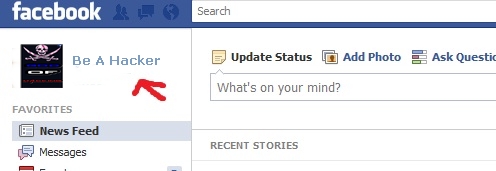
Click On your name first in order to get your name, this will take you to your wall and posts, it did appear right away for me, if it doesn’t for you wait 5-1o minutes, if still nothing logout of Facebook close your browser and re-open to start a new session.
Click Name

Get It Now
7. Enjoy The New Profile

- Timeline Preview
Changing Back From Timeline to Classic:UPDATE: If you decide afterward that you don’t want the new timeline for any reason, it’s very easy to revert back. Go back into your “Developer” page and click “Edit App.” This will bring up a sidebar on the left side of your page. Click “Delete App.” After you do this, your profile should be reverted back to the original.]
This is option one and is obviously not for everyone. Option two is to sign up for beta notification right here. When Facebook is ready for users to test out the new profile, you will be emailed and get to try out before all of your friends.
And voila! Those are two ways that you can get the new Facebook profile immediately, if you’re desperate for the change.
Privacy Concerns?
With new changes arises new questions, the biggest question on Facebook is Privacy, you can see how the new profiles and features change your Facebook Privacy Settings Here.if its not work its ur bad luck Its Work for some Users So Wish you One Of Them
Safe On Facebook In 5 Min
by Get Trickz in: Best Tips Facebook Tips Facebook Tricks Net tips Safe On Facebook
1st Step:
Go To Security settings
- Then click On Secure browsing
- Then Check on it
- Then click on Save change
2nd Step:
- Then click on Login notifications
- Then check both
We can notify you when your account is accessed from a computer or mobile device that you haven't used before. Choose a notification method below:
3rd Step :
Then click on Privacy settings
then Change your setting on your choice...
Its Finish
Say To hackers Fu*K off
Be Safe Always With Us
For More Like Us :-

GET AVG LICENCE KEY FOR 2 YEARS FOR FREE INSTANTLY NOW LATEST 2020 (Giveaway)(EXPIRED)
by Get Trickz in: Free Antivirus n key Net tips 19 Comments
First Download From this link: Download click it for download
Get full version key for AVG,
AVG LICENCE KEY FOR 2 YEARS,Full licence key for avg internet security,,full version key for avg antivirus 2020,avg full licence key for 2 years instantly
Hello Friends,
Today I will give you 100% working 2 years license key for avg anti virus so you can save your $59/year.
AVG LICENSE KEY FOR 2 YEARS GIVEAWAY
License Key #1: GV2WLG-2A2HP2-4847H6
so waiting for what active avg anti virus using this avg activation code (avg license number)... with out paying single rupees to avg product registration.
ENJOY !!!
if Its Not Working try this
if Its Not Working try this
License Key #2: FN357Q-HYYCZ2-4PC836
License Key #3: CLXRDA-DUY5F2-5QL7ZW
Make FREE calls to any phones in any part of the world
by Get Trickz in: Free Call Net tipsThe telephone is a good way to talk to people without having to offer them a drink.
Calling up your dear one who lives in abroad will cost you dearly. You always keep an eye on your clock as it ticks away eating all your currency. You soon want to cut the call as money matters a lot. Well, I have something special for you this holiday season. Free calls!!! Yes, you heard it right. How about speaking by spending nothing. That’s crazy and you would crave for it.
EvaPhone is a website where you can make free international phone calls from your PC. The calls can be made to almost any country in the world. Moreover you can make free calls both to landline and mobile phone numbers.

Its pretty simple.
1>> Visit their website Click here .
2>> Choose the country associated with the phone number you’re dialing.
3>>The country code will automatically be inserted.
4>>Enter the phone number you’d like to make the free call to.
5>> Finally, click the phone icon( the green one).
6>> A short video advertisement will appear.
7>>When it’s over, you’ll see “Calling…”, “Ringing…” and then “Call is scheduled to end in:” behind the video. Feel free to close the video. Have Funn.
Calling up your dear one who lives in abroad will cost you dearly. You always keep an eye on your clock as it ticks away eating all your currency. You soon want to cut the call as money matters a lot. Well, I have something special for you this holiday season. Free calls!!! Yes, you heard it right. How about speaking by spending nothing. That’s crazy and you would crave for it.
EvaPhone is a website where you can make free international phone calls from your PC. The calls can be made to almost any country in the world. Moreover you can make free calls both to landline and mobile phone numbers.
The only thing is that your calls are limited to certain length. The free call duration varies depending on the call destination and line provider. The maximum free call allowance for some countries can go up to 5 minutes per call and 2 calls per day.
When it comes to calling you don’t have to download or install anything, simply dial the country code and the number where you want to call.
Features:
- Make free short calls to any landline or mobile worldwide.
- Duration of free call depends on location and the line provider.
- See free call destination list and the amount of free minutes here.
- No sign up or registration needed.
Its pretty simple.
1>> Visit their website Click here .
2>> Choose the country associated with the phone number you’re dialing.
3>>The country code will automatically be inserted.
4>>Enter the phone number you’d like to make the free call to.
5>> Finally, click the phone icon( the green one).
6>> A short video advertisement will appear.
7>>When it’s over, you’ll see “Calling…”, “Ringing…” and then “Call is scheduled to end in:” behind the video. Feel free to close the video. Have Funn.
FREE Panda Antivirus Pro 2012 Activation Code for 180 Days Download
by Get Trickz in: Free Antivirus n key
Panda Antivirus Pro 2012 is generally priced at $49.99 for a year subscription. As a part of Panda’s promotional offer in association with 2 Spain companies , you can now get to download the activation code of 6 months (180 days) absolutely free.
This is a limited-period offer:
1>> There are offer 6 months (180 days) activation code.
3>> Use any one of these activation codes :
Activation Code 1: AP12PVIP-98464172
Activation Code 2 : AP12PVIP-98464173
Activation Code 2 : AP12PVIP-98464173
Downloads
FREE Kaspersky Antivirus 2012 90 Days Activation Code Download
by Get Trickz in: Free Antivirus n key
▶ FREE Kaspersky Antivirus 2012 90 Days Activation Code Download .
▶ It is a remarkable antivirus application to shield your PC from bots, worms, viruses, rootkits, Trojans, malware and other emerging threats.
▶ Download the Setup file from here.
▶ Use this activation code for 90 days license :
NUS4T-GKF2R-17SCB-4CKPN
NUS4T-GKF2R-17SCB-4CKPN
▶ Please read the Note before using the key.
Kaspersky Anti-Virus 2012 (often referred as KAV 2012) is a remarkable antivirus application developed by Russian security giant – Kaspersky Labs.Kaspersky Lab has given their new series of products a complete face-lift so as to make them more powerful, sophisticated and easy-to-use.
